Tuesday, June 28, 2011

Gerrymandering: How multi-media are you getting with coverage of the redistricting process?

Multi-media story on gerrymandering
All across the United States right now — from the national congressional level to the countywide level — redistricting is taking place.
This is where those pesky political maps get redrawn.
In recent years, we've seen lots of jostling locally as politicians prepared for this moment — each party trying to get a majority in key areas so they may have control of the process.
And of course, now that the redistricting time has arrived, there's no shortage of gerrymandering accusations to go around.
In Michigan, our statewide legislators are responsible for redrawing maps for both themselves and the national congressional districts. At the county level, a five person committee draws the boundaries for the county commission districts — those five people are the county clerk, prosecutor, treasurer and chairman of the two major political parties.
At the statewide level, the Republicans have the majority in terms of redrawing these maps.
At the county level, the Democrats have the majority.
This is creating quite the local battle, as county Republicans accuse county Democrats of gerrymandering. In response, county Democrats are crying foul about the statewide maps — saying their Republican counterparts are the ones doing all the gerrymandering.
In effect, it can be summed up like this:
"Your party is gerrymandering!" cries the Republican to the Democrat.
"No, your party is!" cries the Democrat to the Republican.

So, how are you covering this in your state, community, etc.?

I advise journalists to take note of the work done by our political reporter Charles Crumm, who has been dashing out of the office right and left the past few weeks to take video of politicians on either side of the aisle defending their party's map and crying foul about the others.

Last week, our always colorful county executive (a Republican) called our county prosecutor (a Democrat) a "political hack" because of the map she created.
The county prosecutor responded Monday by saying she wasn't going to 'battle' the executive, but alluded to the statewide maps as being more politically biased.
When the maps were first introduced, Crumm uploaded each to Scribd. Now that specific maps have been chosen, he has all of the embed codes and/or links ready to go for each story he writes.

Additionally, every time he darts out of the office for more interviews, he's taking his video camera with him. The issue has spread into outlying issues too, like who's going to support who for future offices based on whose maps are deemed to be more offensive. In other words, he's coming back with not just one, but several video clips to accompany each story.

Check out how Crumm uploaded each story, giving one video placement within the story and linking to others in the text where it makes sense. Of course, links to the maps themselves are also right in the text.

It's a nice way to keep the story looking tidy, but yet offer readers a great variety of multi-media content to really expand their understanding of the issue.

Here are the articles:
L. Brooks Patterson encourages Bishop to run against Cooper for prosecutor's job WITH VIDEOS
County prosecutor, executive at odds over gerrymandering on political maps WITH VIDEOS

One thing we'll be adding soon: links to previous stories.

Thursday, June 23, 2011

Take advantage of Associated Press videos via Youtube

I opened up a wire story this morning about a 7-year-old from the thumb area of Michigan who was charged after driving a car 20 miles in an attempt to get to his dad's house.
Check out the AP Channel on Youtube
It's been a hot story in Michigan for the past week and I couldn't help but notice "AP Video" marked on the story file.
I looked in my AP exchange account to find the video, but had no luck. I called the customer service support line (which is 877-836-9477, by the way) and talked with someone about getting the video.
While he searched for a way to get it to me, I brought up Youtube.com to check there.
I found the AP channel and while scrolling down, I noticed a whole bunch of videos that could go with hot wire stories we posted today — there was a video of a possible twister striking the racetrack at Churchill Downs and a video on the Boston mobster 'Whitey' Bulger being arrested, a couple videos pertaining to 'Jackass' star Ryan Dunn's death and more.
The video I was originally looking for — about the 7-year-old driver — was also there.
I told the customer service representative that the videos were available on their Youtube channel and from there, I could just embed them. I thanked him for his help anyhow and hung up.
From now on, I'll be checking the AP Youtube channel daily. There's a bunch of good national stuff on there and I recommend everyone in our organization make a regular habit of checking — especially whenever you see the "AP Video" on stories you plan to upload.
I've also subscribed to the channel and set myself up with email notifications for all new videos — also not a bad idea, I think.

Tuesday, May 31, 2011

Google maps continue to be a hit for QR Code use

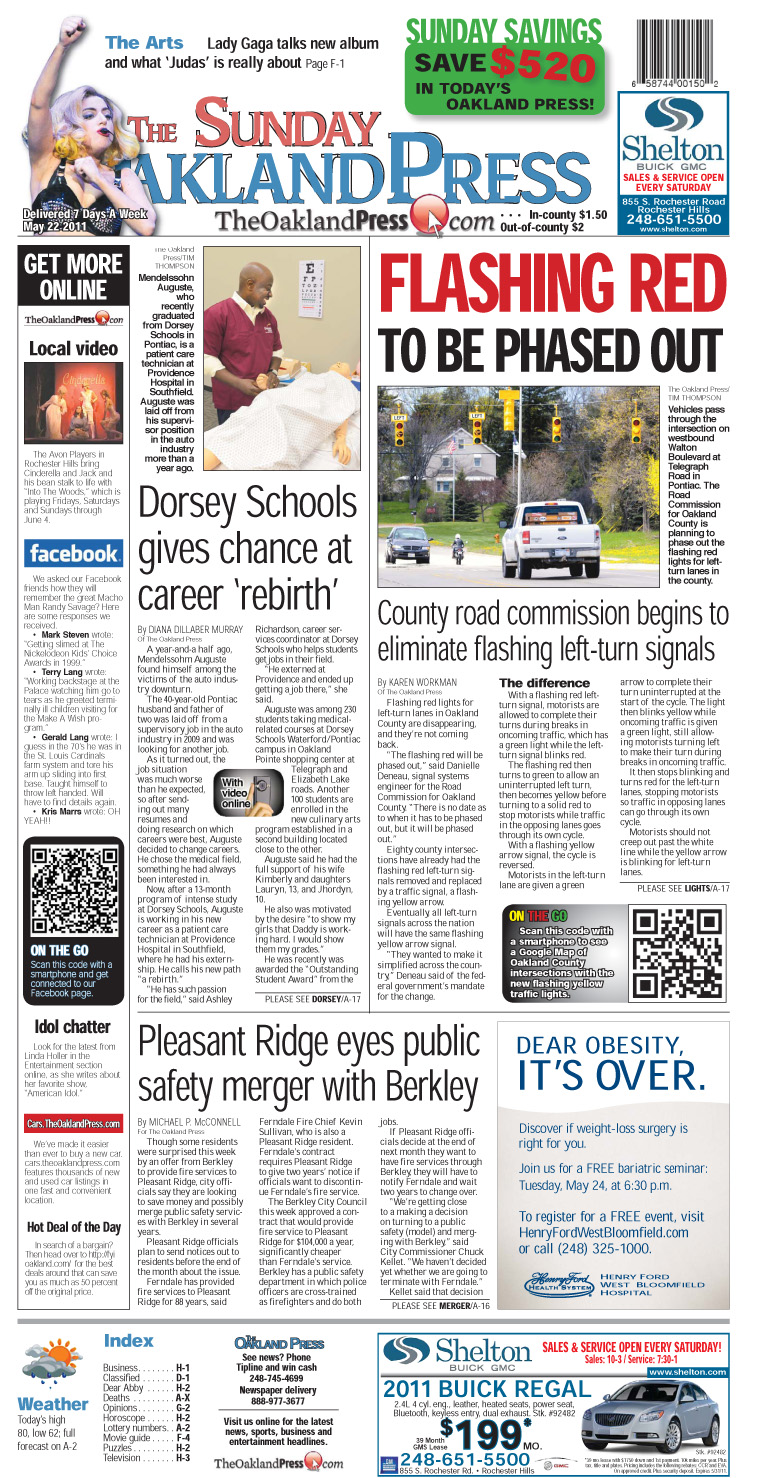
QR code for traffic signals ran on the front
I recently created a Google map for a story I wrote about flashing red traffic signals being phased out not just in our county, but nationwide.

I thought it would be neat to plot on a map all the Oakland County intersections that currently have the new flashing yellow traffic signals as well those slated to be changed over this year.

The Road Commission for Oakland County provided me the list and I built the map based off that. Even though I had more than 80 points to plot, it wasn't terribly time consuming.

Online, the Google map was embedded in my story file. In print, a QR Code linked readers with smartphones to the map.

Once again, the Google maps are proving their worthiness in terms of things readers will use. The traffic signal map code garnered a total of 91 scans. Compare that to my Fires in Pontiac map & QR code, which published twice and got a total of 127 scans. Both numbers are good.

Meanwhile, using QR codes for websites seems to be less of a hit. In a story that published recently about a local couple who travels to Utah to volunteer on their vacations, a QR code linking readers to volunteer information for the organization got only 11 scans. A remembrance page for a local teen who died got just 10 scans. Information about an event, the Great American Basset Waddle, got just 13 scans and a code for a contest on my blog garnered 14.

So you can see the difference. Google Maps = hit. Websites = not so much.

A Google map building tip: When adding your own icons isn't working
When I was creating this map, I wanted the icons to be little traffic signals. I had a good image of one on a flyer from the Road Commission for Oakland County, and since I couldn't find any standard icons I liked, I decided I would try adding the traffic signal image as an icon.
Seems simple enough — double click on the icon box and then select "Add an icon."
It requires you to have a link to the image, so I uploaded it first to my Picasa account (another facet of Google that allows you to store images online). I figured that since both Picasa and My Maps are features of Google, they'd work together. And Picasa does give you a specific link for any image uploaded.
Well, it didn't work.
I ended up in help topics, found my way to reader forums and finally got some good advice: Set up a free account with fileave.com and use the link provided to the image once uploaded there.
The last thing I need is another account and password, but that's OK. In the end, it worked like a charm and got me back to building my map just exactly how I had envisioned it.
Fileave.com seems like a bit of an archaic website — it's super simple — but it worked very well and it's simplicity also meant it was very, very easy to use.

The traffic signals map

View Oakland Co. Intersections with Flashing Yellow Traffic Signals in a larger map

Wednesday, April 27, 2011

QR Code data

We've been increasing our use of QR codes in The Oakland Press' print edition and I've been tracking the data.
The Google Map QR Code

Here are the results:
• We've been running a QR code on our front page rail linking to The Oakland Press' Facebook page for several months, albeit not daily. Over time, that's been used to bring 237 people to our Facebook page.
• Earlier this month, we used a QR code for a contest where readers could enter to win tickets to a Red Wings game. That generated 76 clicks to the page.
• A QR code linking to The Oakland Press sports page has gotten 130 users.
• A Google map plotting the locations of nine fires at vacant homes in Pontiac also got a QR code, which was published twice in print for stories about the fires — 118 people used it.
• Links to the comments page of stories have had less stellar results, though I'd argue that with the right story, they'd be wildly successful. A story about Michigan State Police using a device to extract data from cell phones had a comments page QR code got almost 30 uses; a link to a less controversial story about a drunk driver garnered only 16 uses.

Below is the Google Map that the QR code links to:


View Fires in Pontiac in a larger map

Monday, April 18, 2011

My 30-day project: Bit.ly & QR Codes

With everyone in the newsroom Tweeting, it made perfect sense for The Oakland Press to create a "best uses" of Bit.ly.

My 30-day project gives the why-to and the how-to on using bit.ly to do a lot more than just shorten URLs for Twitter.

By creating a free account, people can track data related to their shortened links. An added bonus? Every link shortened through the use of a bit.ly account also has a QR code generated for it.

QR codes are something we're trying to use more often in our print edition. Why? To be able to interact with a huge and growing segment of news consumers — the mobile market.

Why not just create an mobile app for my newspaper, you ask? As much as I love apps, I'm not sold that they're the be-all end-all for newspapers organizations looking to reach the mobile consumer.

If we were to build an app, should we decide that iPhone users will get an app, or will it be Droid users? Or should we spend the money to make two apps? What about an app for the iPad? And what about apps for all those other tablets coming out now, and the next generation of smartphones lurking just around the bend?

My point is, the app thing is going to change. Right now, your apps are decided by your brand. Conversely, from our standpoint, we'd have to decide which brands are going to get our app. It's not a sustainable model and I have faith that in my lifetime, all smartphones and tablets are going to be able to shop at one master app-store — forget this by-the-brand crap.

I was just telling our Online Editor the same thing. He interrupted me to say, "In your lifetime you think that's going to happen? That's more likely to happen before Obama's term is up."

Red Wings ticket giveaway
Plus, why would you spend all that money creating a bunch of different apps when you could just add a line of code to your website that can tell what devices a user is coming from and automatically optimize the website for whatever that particular device may be?

I believe that's where JRC is headed. It certainly seems like the smartest and best use of resources.

In the meantime, we're finding other ways to connect with the mobile consumer — QR codes being one of them. We're also working on an SMS platform.

Already, we're getting results back from our use of QR codes. Staffer Paul Kampe said a QR code was used to promote a recent Red Wings ticket giveaway and generated a total of 65 clicks, including 35 from the first day and 25 more the next.

"Giveaways seem like a slam dunk for using a QR code," Kampe wrote.

I agree.

Here's video of the presentation broken into 3 approximately 10-minute clips:


This week, I'll be tweaking the Powerpoint included below to shed its OP-specific elements and make it applicable for all JRC properties.
Bitly QR codes

Thursday, April 14, 2011

Using Dropbox for journalism

Dropbox is one of my favorite things about the iPhone, and it's not even an iPhone specific thing!

You can download Dropbox (Click the link to go to the Dropbox homepage and see a video tutorial which, for some odd reason, is not embeddable) on your computer and all your mobile devices, allowing you to share content seamlessly between all of them. Even better, you can share folders with other computers.

In The Oakland Press newsroom, I downloaded Dropbox first on my computer, then added it to the iPhone and iPad, and then sent invitations to several of my coworkers to download Dropbox as well. For every person that answered my invite and downloaded the application, I got an extra 250 MB of free storage space. I then shared a general folder (ours is titled "OP Media") with all those coworkers who downloaded Dropbox.

This meant on Tuesday (and again today, while I was on the scene of a fire) I was able to use the iPhone and Dropbox to get photos sent automatically back to the office. I turn on the iPhone, go to the Dropbox app, take a photo, hit "use" and as soon as it uploads, a screen pops up on my coworkers' computers alerting them that "New media has been added to the OP Media folder." They can then drag and drop the photos (or video) to their desktop, edit as necessary and upload to the website. Generally speaking, it's a faster method than trying to upload to a story file right from the phone.

Here's a handout I made:

Using Dropbox for Journalism

Wednesday, April 13, 2011

Covering a developing story

It was just before 8 a.m. Tuesday when I ran out of the office to chase down a raid on a medical marijuana dispensary taking place within our county.
That was the start to what would be a long day trying to keep track of the latest developments in the story.
What started off as a raid at one dispensary turned into a raid at two dispensaries, then at a bar, then a strip club, and then at a home.

iPhone photo
Here's how we did it, and how we could've done it better:

How we did it
1) I put a two sentence story up on our website. It went something like this "A raid of a medical marijuana facility is taking place in Walled Lake. The Oakland Press is sending a reporter to the scene."
2) I grabbed the iPhone, which once again proved itself as one of the most valuable tools to cover breaking news. While en route, I called a photographer to give him a heads up and promised a callback once I figured out where the raid was taking place.
3) Once on scene, I called back to the office and, for the sake of expedience, gave the information on the dispensary's name, address, phone number and website to staffer Valerie West. (What turned out to be really neat was that Valerie instantly recognized the dispensary as the one she'd recently gotten kicked out of while working on a story about medical marijuana ordinances in the county.) While it was comforting to know I could've updated the story from the iPhone itself, it was still faster to call back to the office and relay the information over the phone rather than fumble with the iPhone little's keypad.
iPhone photo
4) I interviewed employees of nearby businesses to get quotes and color for the story. After each interview, I called back Valerie with a quote to update the story.
5) I shot photos using Dropbox on the iPhone. We may have very well been the first news outlet in the area to have images of the raid online.
6) I took video with the Flipcam.
7) I was on the scene from 8:30 a.m. to nearly 10:30 a.m. Once back in the office, I set about making calls like mad. Meanwhile, other staffers at the office were also making calls. By the time I arrived back at the office, we had a full-fledged story with photos posted online, and a reporter and videographer en route to a second raid. We continued updating the story throughout the day.

How we could've done it better
1) I spent a lot of time on the scene, had the iPhone handy and could've been Tweeting. Should have been Tweeting. Mental note taken for next time.
2) I could have shot a 15-second video via Dropbox and had video online before any other news outlets too. We need more people set up with Dropbox.

In total, the stories about the raid garnered 10,283 pageviews — pretty good for us.

At the end of the day, we had a comprehensive story with two videos and a huge variety of photos. The staff really worked as a team to get the latest on this story, keeping it freshly updated and making it a solid multi-media story package.

See the full story, WITH VIDEO: Feds raid Oakland County Medical Marijuana dispensaries

The photos posted here are from the iPhone. The video is my contribution; our full-time videographer has a second video from a second location posted within the story file.